Entradas

Creación de Tarjeta Navideña con Illustrator aplicando todo lo aprendido en el Bimestre (Trabajo Final)

Imagen
En la Siguiente presentación y la última del año escolar 2016 me pidieron como trabajo final hacer una tarjeta en Illustrator usando todo lo aprendido como textos con forma de objetos, mandalas , etc. en el cual invitabamos a alguie n a un "evento" (el de la tarjeta no existe y es s ólo para mi tarjeta). Espero que les guste y espero que todos mis seguidores vayan decorando sus casas porque ya se acerca la Navidad.... Ho Ho Ho!!! Pe dro J Briceño 2do "B" Sec. 

Creación de Mandalas en Adobe Ilustrator

Imagen
En la siguiente oportunidad he creado una mandala a partir de técnicas aprendidas en clase como el de rotar formas o crear nuevas formas a partir de una. Espero que lo disfruten. Pedro Briceño 2do "B" Sec.

Creación de Dibujos Vectoriales en Illustrator - Parte 2 / Creating Vector drawings with Illustrator - Part 2

Imagen
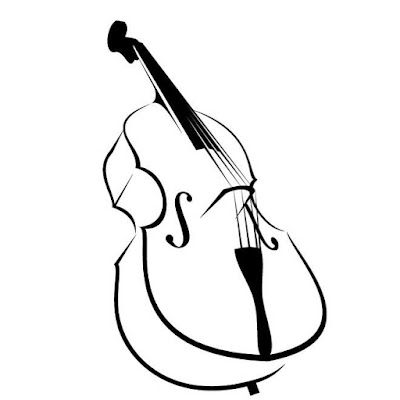
Bueno, en esta oportunidad como trabajo final del Tercer Periodo, me pidieron convertir una imágen JEPG, JPG o PNG a un gráfico vectorial, dibujándolo de nuevo con la técnica aprendida en clases. Esta vez dibujé un contrabajo, disfrútenlo. Well, this time as final work of the Third Period, I was asked to convert a JEPG, JPG or PNG image to a vector graphic, drawing it again with the techique learned in class. This time I drew a double bass, so I hope you enjoy it. Original Drawing colored Drawing without color Pedro Briceño 2° "B" Sec.

Creación del logotipo de Vóley y Fútbol de los Juegos Olímpicos de Rio 2016 en Adobe Illustrator / Logo creation Soccer and Volleyball Olympic Games Rio 2016 with Adobe Illustrator

Imagen
En esta oportunidad me tocó comenzar a usar e Adobe Illustrator con el que comencé mi primer trabajo: Hacer dos logotipos de los Juegos Olímpicos de Rio, de los cuales escogí el logotipo de Vóley y el logotipo de Fútbol. This time it was my turn and start using Adobe Illustrator with which I began my first job: Make two logos of the Olympic Games in Rio, which I chose Volleyball logo and Soccer logo. Original  Dibujo / Drawing Dibujo / Drawing Original Pedro Briceño 2° "B" Sec.

Creación de Imágenes con celda espacial futurista / Creating futuristic space pictures with cell

Imagen
A continuación veremos cómo con unos simples recortes y repujados, añadiendoles luz; podemos crear una celdas con un efecto de que provienen del futuro. Aquí coloqué como prisionero a un Stormtrooper de La Guerra de las Galaxias. Here is how a few simple cuts and embossing, adding light; we can create a cell with an effect that comes from the future. Here I put like a prisoner to a Stormtrooper from Star Wars. Pedro Briceño 2° "B" Sec.

Creación de Imágenes con efecto acuoso / Creating pictures with watery effect

Imagen
En la siguiente presentación se puede apreciar la creación de imágenes con un efecto de goteo obtenido a partir del filtro licuar inflando la figura. He aquí los resultados. In the following presentation you can appreciate the creation of images with a trickle-down effect obtained from the liquify filter inflating the figure. I have the results here. Pedro Briceño 2° "B" Sec.

Creación de textos con efecto de partículas / Creating Texts with effect Particle

Imagen
Bueno, durante estas vacaciones he aprendido también a hacer textos con efectos de partículas usando los filtros desenfoque gaussiano, vidriera, etc. He aquí los resultados.  Well, during this vacation I've laso learned to make texts with particle effects using Gaussian blur filtrer, glass, etc. I have the results here. No fue difícil, pero tuvo sus complicaciones. It was not difficult, but I has it complications. Pedro Briceño 2° "B" Sec.

Creación de Imágenes con efecto Luminoso / Making Pictures with light effect

Imagen
Bueno, en esta oportunidad, mientras duran las 2 semanas de vacaciones; aprendí a hacer textos con efecto luminoso usando el filtro de ruido y desenfoque gaussiano. Disfrútenlo. Well, this time, for the duration of 2 weeks vacation; I learned to make texts with light effect using the noise filter and gaussian blur. Enjoy it. Pedro Briceño 2° "B" Sec.

Entrega final del Proyecto del 2° Bimestre / Final work of Project 2 ° Bimester

Imagen
Bueno, esta es la entrega final, que la disfruten. Well, this is the final installment, you enjoy it. Pedro Briceño 2° "B"

Trailer del Proyecto Final del 2° Bimestre / Trailer of the last proyect of 2° Bimester

Imagen
Bueno, en esta oportunidad les muestro el avance del Proyecto Final del 2° Bimestre. Well, this time I show you the progress of the Final Proyect of the 2° Bimester. Pedro Briceño 2° "B" Sec.

Siguiente Composición / Next Composition

Imagen

Todos somos Christina / We are all Christina

Imagen
Como todos sabrán, hace poco murió Christina Grimmie y en memoria a ella la tendremos siempre en nuestros recuerdos. As everyone knows, recently she died Christina Grimmie and memory she will always have our memories. #RIPChristina

Creación de textos con trama de fuego y hielo / Creating raster texts with fire and ice

Imagen
En esta ocación aprendí a crear textos con trama de fuego y hielo usando la técnica de aplicar el filtro de estilizar viento y luego licuar, lo que dará un efecto de que está ardiendo; y de aplicar ruido, cristalizar, ondear, aplicar viento otra vez y jugar con las escalas de grises y RGB. Aquí les muestro 2 ejemplos de cada uno: On this occasion I learned how to create texts with fire and ice frame using the technique of applying the filter to stylize wind and then liquefy, giving an effect that is burning; and applying noise, crystallize, wave, wind apply again and play with grayscale and RGB. Here I show two examples of each: No fue dificil, pero fue interesante. It was not difficult, but it was interesting. Pedro Briceño 2° "B" Sec.

Creación de imágenes mediante el uso de la interpretación de nubes y del pincel / Creating images using the interpretation of clouds and brush

Imagen
E n el último proyecto hecho, aprendí a crear imágenes a partir de una motita creada a partir de una circunferencia a la que se le interpretaron nubes mezclando los 2 colores seleccionados en la paleta, se le enfocó, se le aplicó filtro de salpicaduras y luego se le aplicó un diseño del pincel en los bordes en sentido de adentro hacia afuera. Luego sólo se tuvo que duplicar las capas y alargarlas o ensanchar las motitas para formar la imagen, en este caso dibujé a "Bonnie" de Five Nights at Freddy's. Se podrá apreciar la imagen sin fondo y con fondo. In the latest project fact, I learned to create images from a fleck created from a circle to which he interpreted clouds mixing the two selected colors in the palette, he was focused, she was applied filter splash and then he applied a design of the brush on the edges in direction from the inside out. Then only had to duplicate layers and lengthen or widen the motes to form the image, in this case I drew "Bonnie"...

Trabajo N° 1 / Work N° 1

Imagen
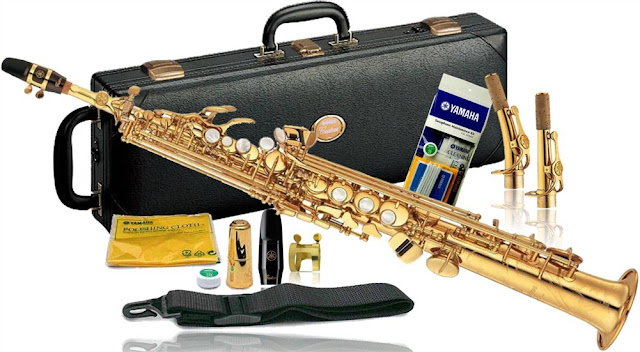
Las herramientas aprendidas en clase tuvieron su grado de dificultad pero resultaron muy útiles al quitarle el fondo a la siguiente imagen obtenida de una página de venta de instrumentos musicales: The tools learned in class had their degree of difficulty but proved very useful to remove the background to the next image obtained from a page intended for the sale of musical instruments: Después de usar el método aprendido en el aula se logró el siguiente resultado: After using the method learned in the classroom the following result was achieved: Con un fondo crema y oliva degradado se pueden ver los defectos que tiene la imagen: With a background cream and olive green, which is then demoted, you can see the flaws with the image: Y pese a las fallas dadas, resulta una muy buena forma de seleccionar fotos con fondo de color entero o degradado. And despite the given failures, it is a very good way to select photos with full or gradient ba...

Trabajos de Pintar Imágenes en Photoshop / Works of painted images in photoshop

Imagen
Lo que hicimos el Viernes 13 de mayo del 2016 fue pintar una imagen de una roseta paso a paso mediante el uso de capas creadas con la herramienta "Varita mágica" para finalmente combinar todas las capas visibles. He aquí las dos rosetas finales en la que una tiene bordes (imágen original pero pintada) y la otra sólo es la fusión de las capas, ambas en formato PNG. What we did on Friday May 13, 2016 was paint a picture of a rosette step by using layers created with the "Magic Wand" tool to finally merge all visible layers. Here are the final two rosettes in which one has edges (original image but painted) and the other is only the fusion of the layers, both in PNG format.